
✨ Improvement
·
Chrome extension page: see what it does on the first screen
The FB Ads Scraper Pro page now shows the Download and Hunt buttons right inside the Facebook Ad Library on the first screen, with a clear 3-step "how it works" and a language switcher.
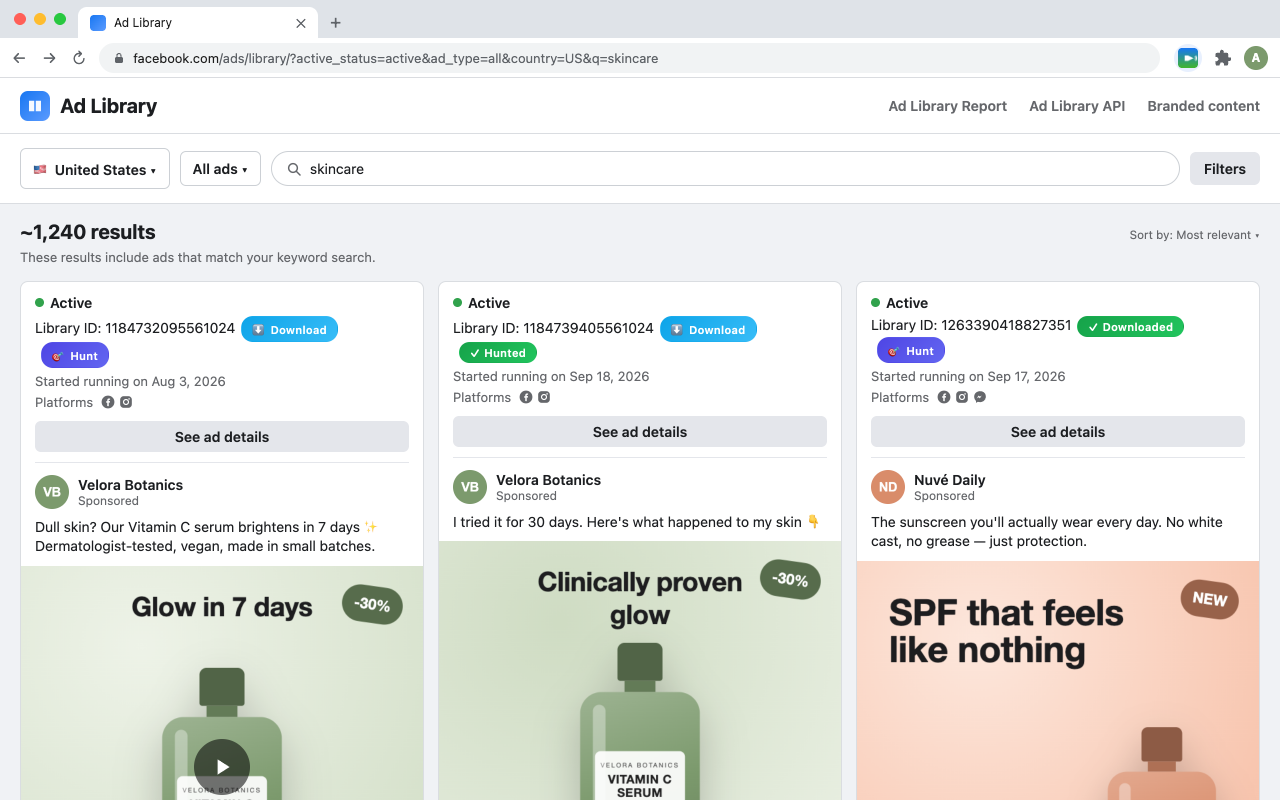
The Chrome extension page was rebuilt around one idea: understand it in five seconds.
- First screen: a plain headline — "Download any ad from the Facebook Ad Library in one click" — next to a real screenshot of the Ad Library with the extension's Download and Hunt buttons highlighted.
- How it works in 3 steps: open the Ad Library, scan, download or export to CSV/JSON.
- Less noise: the colored chips, the made-up "stats" strip and most emoji are gone. Descriptions of downloads and permissions now match how the extension actually works.
- Header and footer: the extension's own icon, "by ScaleForge", a language switcher, and links to Terms, Privacy and email support.