
✨ Improvement
·
The site now speaks 50 languages — fully
The homepage, pricing, FAQ, Chrome extension page, header, footer and contact page are now fully translated into every site language, including all the recent updates.
Product updates, improvements, and fixes
The homepage, pricing, FAQ, Chrome extension page, header, footer and contact page are now fully translated into every site language, including all the recent updates.
Scan right after you install FB Ads Scraper Pro, without signing up. A free account (one click with Google) unlocks the rest when you need it.
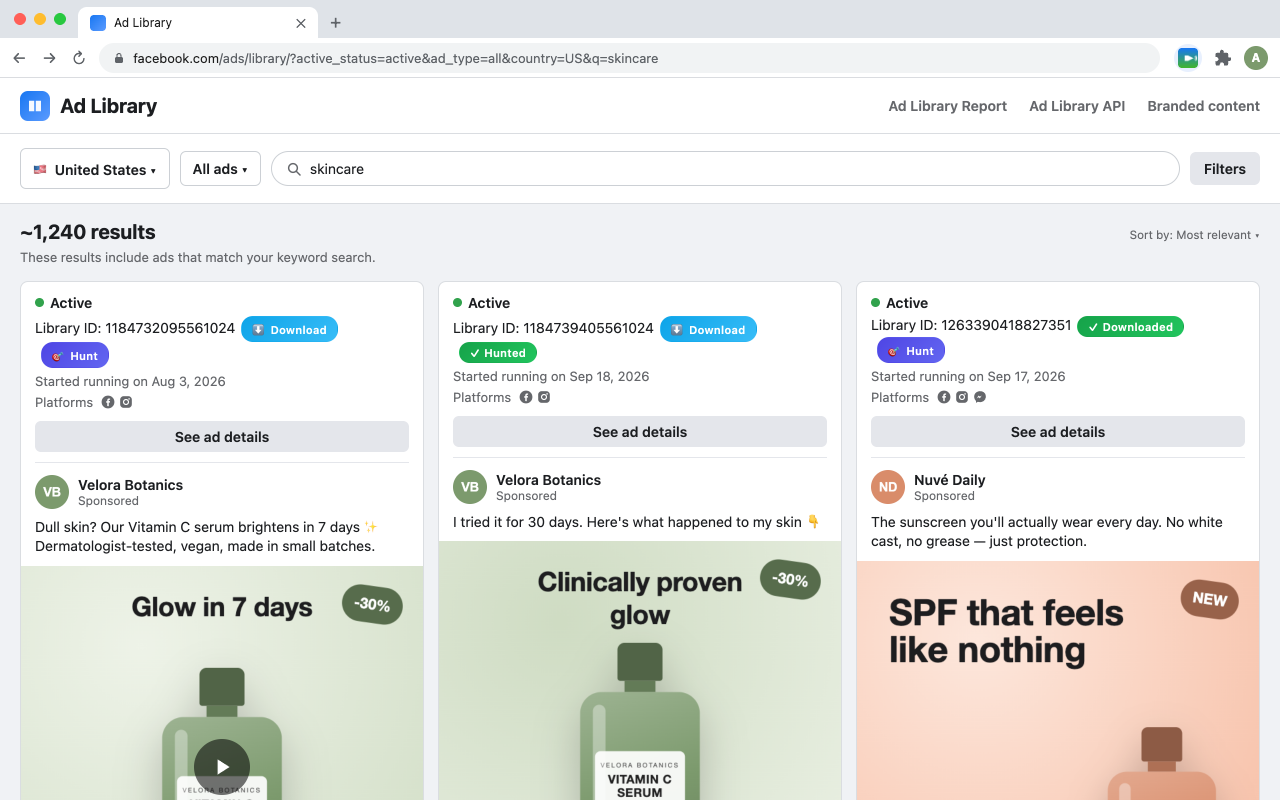
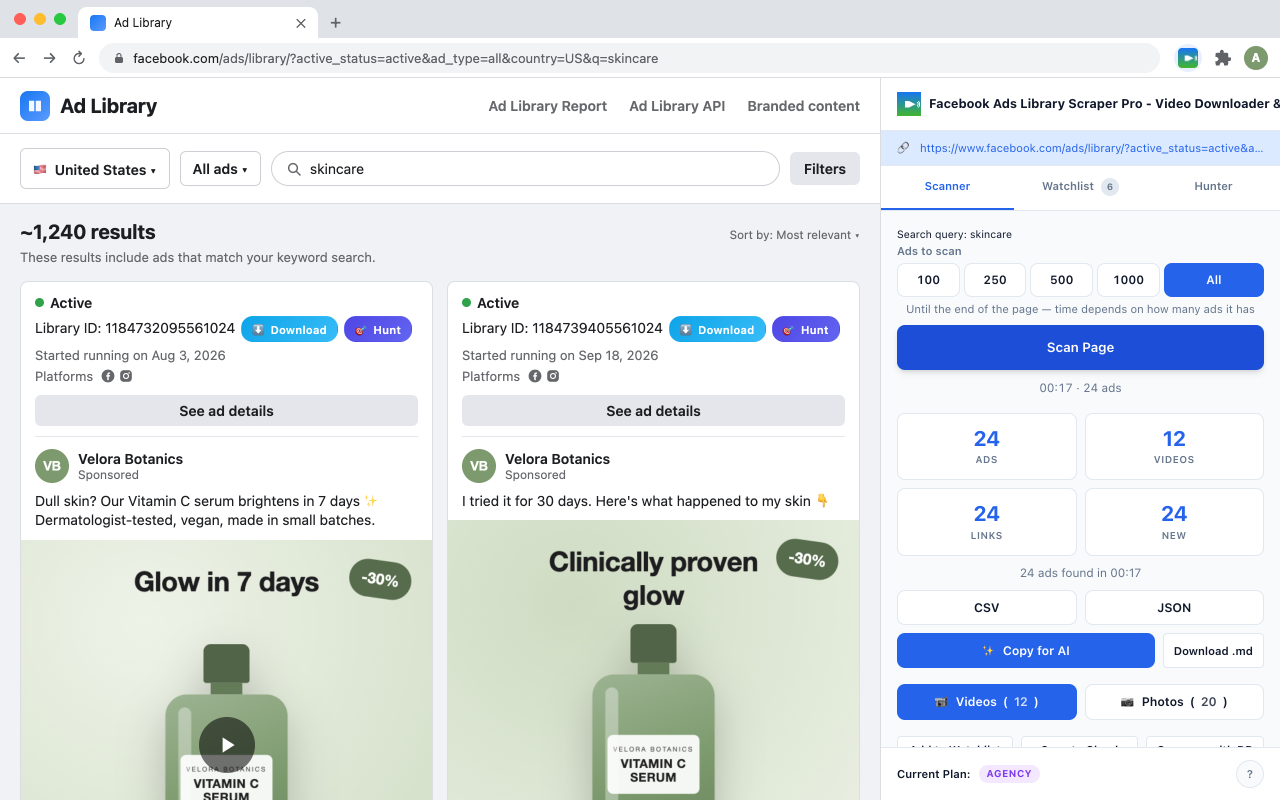
The FB Ads Scraper Pro page now shows the Download and Hunt buttons right inside the Facebook Ad Library on the first screen, with a clear 3-step "how it works" and a language switcher.
The home page now shows a Launch / AutoRules / Analytics product tour (on phones too), real platform numbers and the exact plans from the pricing page.
Every public page now has the same header and footer, the language switcher takes you to the same page in the language you pick, and the Terms and Privacy Policy are available in English.
The Billing page now has a "Cancel subscription" button for ScaleForge and Ad Library extension plans. You won't be charged again, and your plan keeps working until the end of the period you've already paid for.
Claude Desktop and Claude Code can now read your saved Ad Library scans, Hunter creatives and Watchlist through the ScaleForge connector — ask "analyse the last 100 ads of competitor X" and the analysis runs on your own Claude plan.
The «Connect to Claude» button opens claude.ai with the ScaleForge connector already filled in — click «Add», then «Allow» in the ScaleForge window, and Claude reads your scans and Watchlist. Works in the browser, the Claude app and on your phone.
Every scan is now saved to your ScaleForge account and opens as a gallery; any video ad can be turned into your own version with a new voice. The free plan got simpler: one limit, the scan size.
"Open in ScaleForge" buttons in the extension and links in the Watchlist digest now take you straight into your cabinet — no password needed.
The page of our Chrome extension for the Facebook Ad Library now has its own address in each of 50 languages — /ja/extension/adspy, /es/extension/adspy… — with a headline in the words people actually search for.
Above the Scan button you can now pick 100, 250, 500 or 1000 ads and instantly see how long the scan will take. Progress reads "37 of 100 ads · about 15 sec left".
The FB Ads Scraper Pro page now shows six screenshots of the extension at work instead of «Screenshot pending» placeholders.
When you click a locked 🔒 scan size, add a second page to the Watchlist, or your trial is about to end, the extension shows the plans with prices and opens checkout for your account. After payment the plan switches on in the extension by itself.
Upload a video, mark the text on it, add a few new openings — and get ready-made creative variations in one click.
Downloading by link and saving a video now run in the background, big files upload reliably, and a failed video can be regenerated with one click.
Hunter Mode — AI voice replacement for ad videos — is live, so we removed the «Coming Soon» badge from the homepage.
The pricing and FAQ pages now have their own address in each of 50 languages — /ja/pricing, /de/faq… — so a visitor who came from the blog or homepage in their language sees prices in that same language.
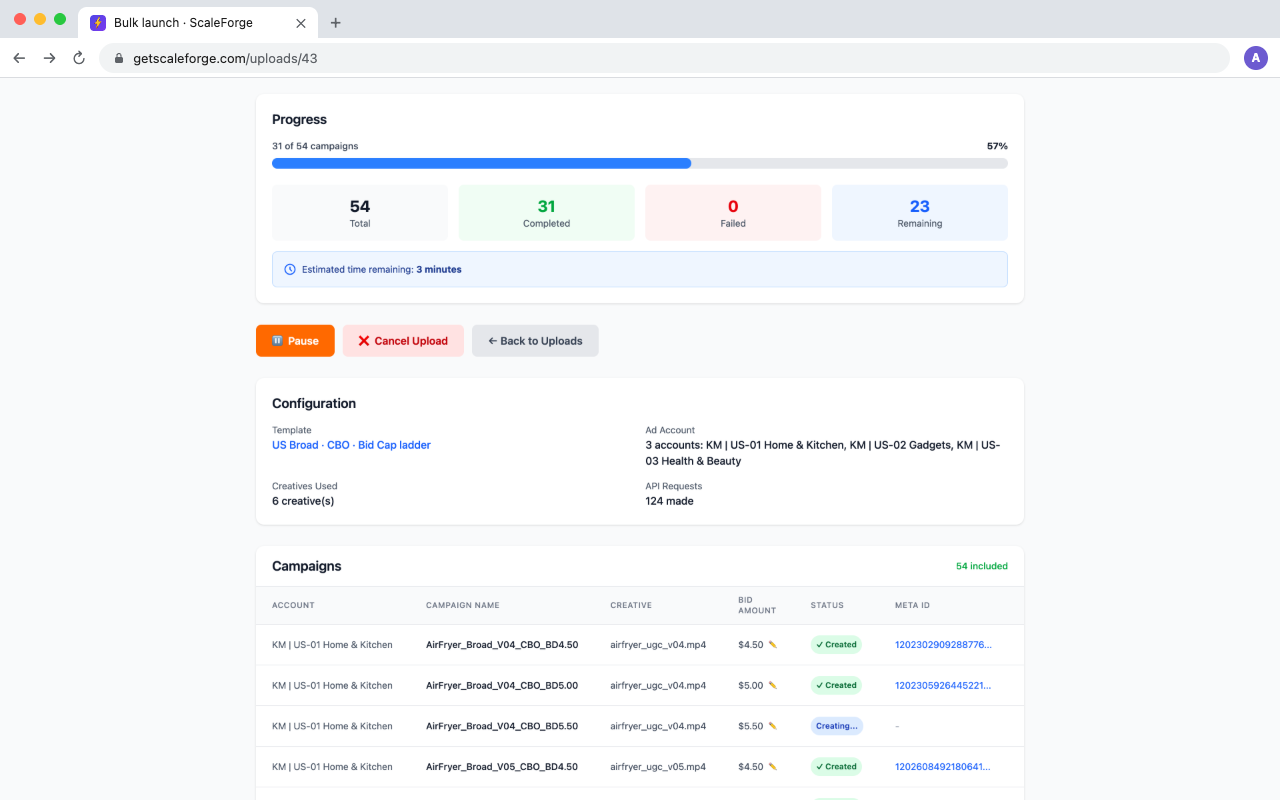
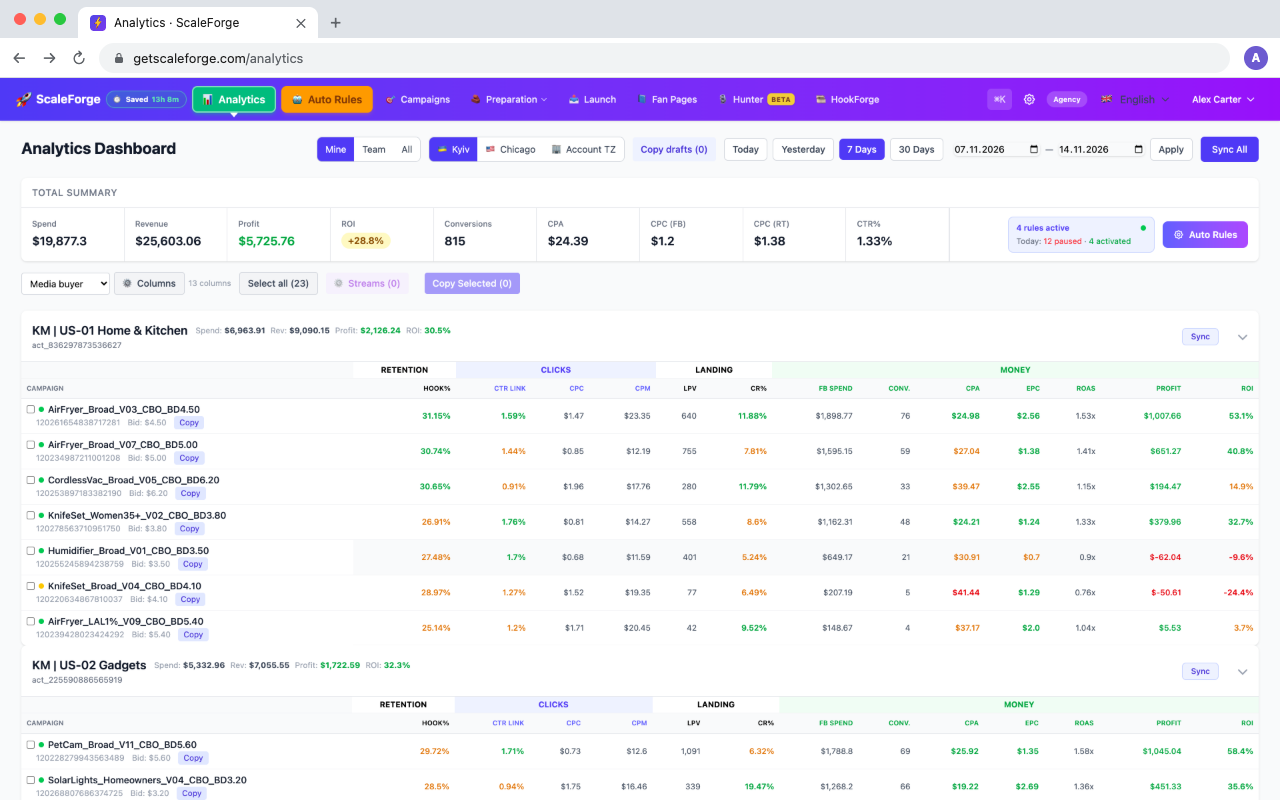
The homepage and /scalemachine now show the actual ScaleForge app instead of placeholders — profit analytics and a bulk launch in progress.
Scan results no longer vanish with the browser tab — one click saves them to your ScaleForge account, and a second button creates a public link to the ad gallery you can send to a teammate or client.
Every Monday you get a short email (and a Telegram message, if it's connected) about the pages in your Watchlist — new ads, stopped ads, and the ones running 30+ days.
The ScaleForge homepage now has its own address in each of 50 languages — /de, /ja, /es, /ar… — so media buyers can find it by searching in their own language.
Every blog article is now published in 50 languages — from Portuguese and Spanish to Japanese, Arabic and Hindi — each with its own address, so media buyers find it by searching in their own language.
The analytics table now has a catalog of 48 self-describing columns, saveable column sets with colour thresholds, and amounts are no longer treated as dollars in accounts that bill in another currency.
Closed a gap that made some active campaigns invisible to pause rules — the status sync stopped at the first 500 campaigns per account, and activation tools didn't update the local status.
The bulk activation button no longer reads lists from Meta — candidates and their ad sets come from the local database (including the new ad set / creative stats level); only “activate” commands are sent to Meta.
The analytics dashboard gets a third timezone mode — each ad account is bucketed by its own timezone, exactly the way automation rules see it.
Every ad account now has its own timezone — stop/activation rules compute "today", spend and ROI in that account's local time instead of one shared zone.
A new blog with guides on Meta Ads automation, bulk launching, and ad intelligence — in English, Ukrainian, Russian, and Portuguese.
Dashboard totals now match RedTrack to the cent — conversions without a campaign tag are no longer dropped and show up as an "Unattributed" row.
You can now add an activation condition based on overall ROI (e.g. "ROI over the last 7 days > 10%") in one click, right in the window form.
Every public page is now reachable in one click from the homepage.
Friendly error pages with navigation and a direct link to support.
You're reading it — from now on every shipped change lands here.
Fixed a redirect loop when anonymous users clicked the Hunter extension link.
AI ad copy no longer enqueues twice when the broadcast fails.
RedTrack sync now uses on-conflict discard to avoid enqueue pile-ups.
Questions? Email the founder.
Michael reads and answers every message personally.