
✨ Improvement
·
Real product screenshots on the homepage and ScaleMachine page
The homepage and /scalemachine now show the actual ScaleForge app instead of placeholders — profit analytics and a bulk launch in progress.
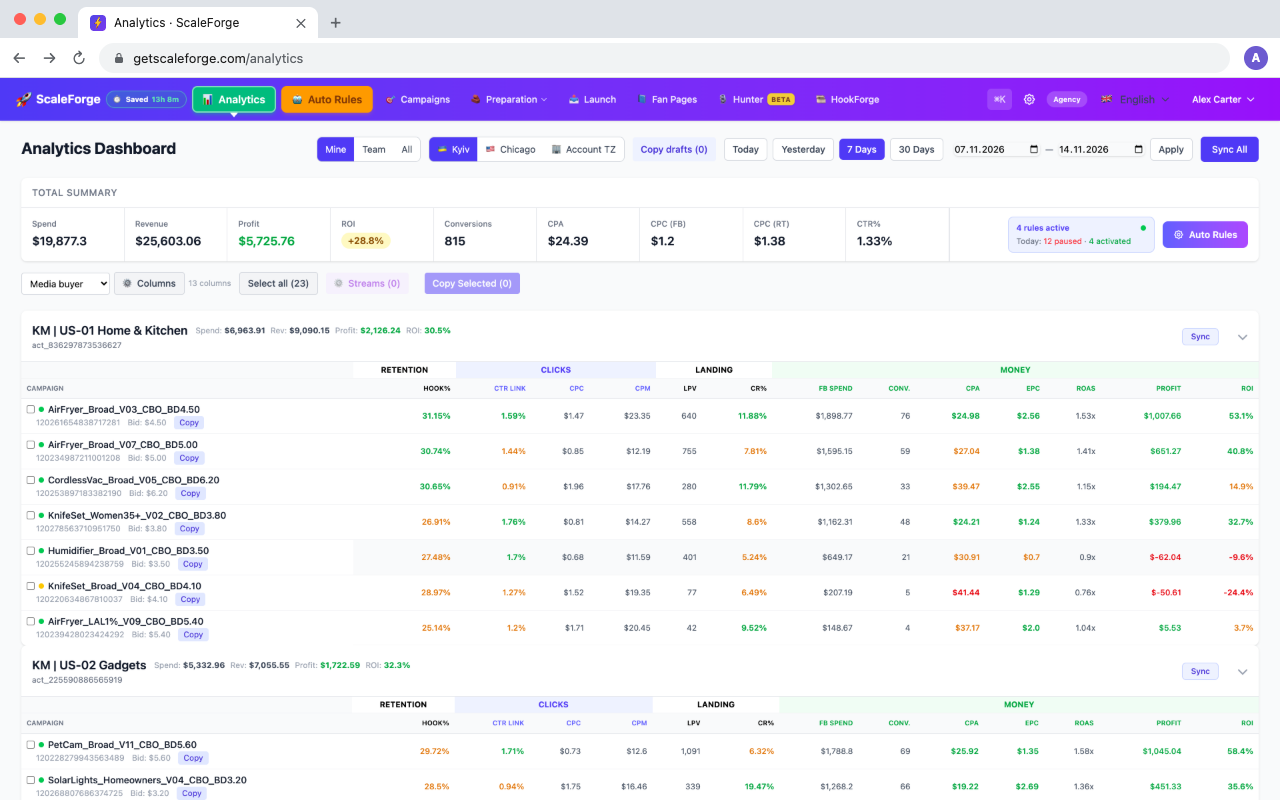
The first screen of the homepage now shows the analytics dashboard: total spend, revenue, profit and ROI for the period, and every ad account with its campaigns, color-coded by your thresholds.
On /scalemachine the «demo video» placeholder is replaced with a screenshot of a bulk launch in progress: 6 creatives × 3 bids × 3 ad accounts = 54 campaigns from one template, with live Created / Creating / Pending statuses. The «watch demo» button now scrolls to it.
Click any screenshot to open it in full size. They were taken from the live app on demo data — the company, ad accounts and numbers are made up.